

• Speck Hyundai of Tri-Cities

Blog / Automotive Tips and tricks

Tips for Driving With Your Dog

Image of a Golden Retriever sticking their hear out the window while driving down the road

Keep your dog attended to at all times.

Take your best friend with you! When you're leaving the car, make sure that your dog gets to go too. A car can reach scorching temperatures on even a 70-degree day so always make sure your dog is safe at home before you have to run errands where your dog is unable to come along.

Be sure your dog has their identification.

Exploring is one of your dog's favorite things to do - so it's important that your dog is prepared with the proper identification in case exploring gets the best of them! It's also great to consider getting a microchip for your best friend.

Don't let your dog ride loose in your truck bed. This can be very dangerous as you never know what may happen when you're on the road. If you are involved in an accident, your dog has a high risk of serious injury in the truck bed. Keeping your dog inside the cabin is the safest place for your dog to ride. If you cannot keep them in the cabin, keep a secured kennel in the back of the truck.

Always have extra pet supplies.

From a water bowl and water, to rolls of waste bags, it's important to make sure you'll have everything you'll need to keep your pet happy, healthy and safe when traveling.

Pet accessories can make their ride more comfortable.

There are so many accessories out there designed to keep your pet safe when in the car! These include pet nets to prevent your pet from entering the driver's area or front of the cabin, backseat extenders to increase your seat space for your pet, seat belt leashes and more! Our Speck Hyundai parts department can help you find the vehicle accessories you need.


The information provided is for general informational purposes only and does not constitute legal, financial, or professional advice. While we strive to provide accurate and up-to-date information, we make no guarantees regarding the completeness, accuracy, or reliability of the information presented. Any action you take based on the context of this blog is strictly at your own risk. Always consult a qualified professional or specialist for advice specific to your situation. We are not responsible for any losses or damages arising from the use of this blog or its content.


Posted in:

Related Posts

how to find vin on a hyundai blog post

How to find the VIN on a New Hyundai

What is a VIN and Why Does it Matter? Your Vehicle Identification Number, or VIN, is a unique 17-character code that serves as your vehicle's fingerprint. No two vehicles share the same VIN and it contains important information about your vehicle's make, model, year and history. Where to Find Your VIN on a Hyundai On most new Hyundai vehicles, the VIN can be found in a few easy places. The most common location is on the driver's side dashboard, visible through the bottom corner of the windshield. You can also find it on the driver's side door jamb on a small sticker, as well as on your vehicle's title, registration and insurance documents. When Will You Need Your VIN? Your VIN comes in handy more often than you may think! From scheduling service appointments and ordering parts to checking your vehicle's history and registering your warranty — having your VIN readily available makes the whole process quick and easy. Stop in and see our team at Speck Hyundai if you ever have any questions! Shop New Vehicles The information provided is for general informational purposes only and does not constitute legal, financial, or professional advice. While we strive to provide accurate and up-to-date information, we make no guarantees regarding the completeness, accuracy, or reliability of the information presented. Any action you take based on the context of this blog is strictly at your own risk. Always consult a qualified professional or specialist for advice specific to your situation. We are not responsible for any losses or damages arising from the use of this blog or its content.
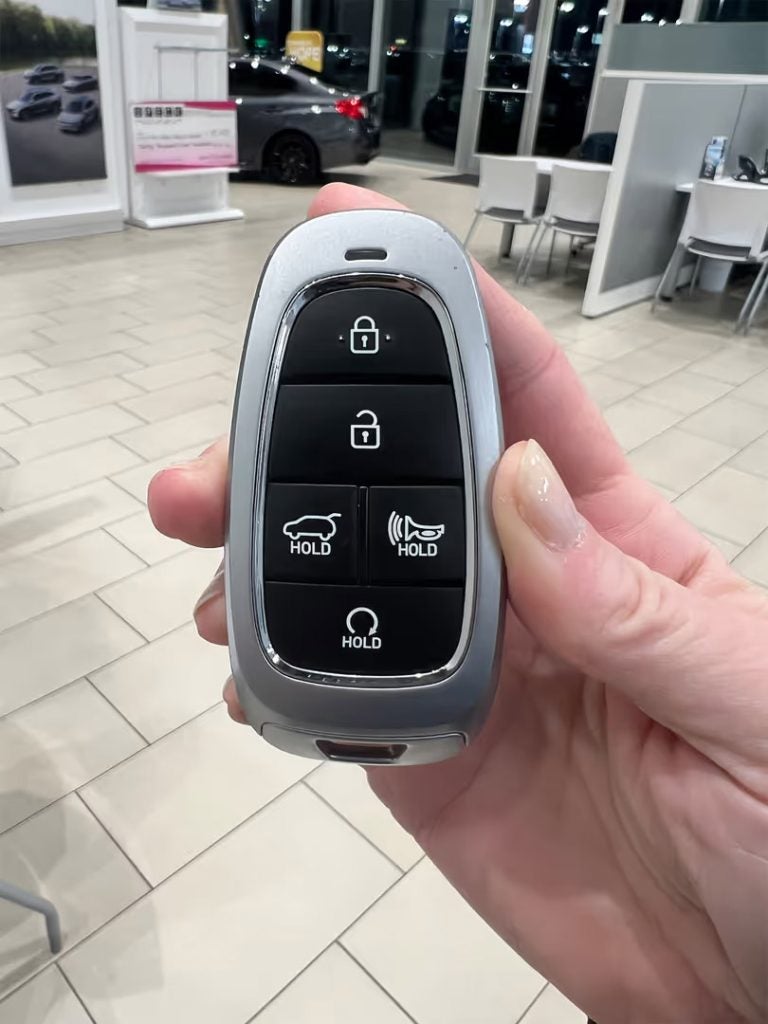
Image of the front of the Hyundai dealership

How to Pronounce Hyundai

Hyundai is one of the most commonly mispronounced car brands in the United States. If you are in the market for a new vehicle or just want to learn how to say Hyundai correctly, here's a simple guide on how to pronounce Hyundai. The Correct Pronunciation of Hyundai The correct pronunciation of Hyundai is: "Hun-day" The first syllable sounds line "hun" (as in honey without the "-ey") The second syllable sounds like "day" Put together: Hun-day Why Do People Say It Differently? There are other people in the U.S. that you may hear say "Hy-un-dye" or "Hun-die." The reason for this is often from reading the name phonetically in English rather than following the original Korean pronunciation. Hyundai is a brand from South Korea, and in Korean, the name 현대 (Hyundai) means "Modern." The company used a simplified two-syllable pronunciation in American marketing to make it easier and more consistent. How Hyundai Says It in Commercials If you listen closely to U.S. television or radio ads, you'll hear the brand clearly pronounced as "Hun-day." The company has intentionally emphasized this pronunciation in advertising to clear up confusion and keep branding consistent. How Do We Say Hyundai? We asked some of our staff how they pronounce Hyundai, below is the results: Final Thoughts Now that you know how to say Hyundai, you can shop for your favorite Hyundai model and specials at Speck Hyundai of Tri-Cities with confidence you are saying the brand right.

How Do You Replace the Batteries in a Hyundai Key Fob

Your Hyundai key fob makes life so much easier, whether it’s locking and unlocking your car remotely or starting it with the push of a button. But like any electronic device, the key fob relies on a battery, and when it starts to run low, it’s time for a quick and easy replacement. In this guide, we’ll walk you through the process step by step to ensure your key fob works seamlessly. What You’ll Need Replacing the battery in your Hyundai key fob is straightforward, and you’ll only need a few items: A replacement CR2032 battery (commonly available at most stores or online) A small flathead screwdriver or coin to open the key fob Optional: A microfiber cloth to prevent scratches Step-by-Step Guide to Replacing Your Hyundai Key Fob Battery Open the Key Fob Locate the seam where the two halves of the key fob meet. Use a small flathead screwdriver or a coin to gently pry the key fob apart. Insert it into the seam and twist carefully to avoid damaging the plastic. 2. Remove the Old Battery Once the key fob is open, locate the round battery inside. Gently lift the battery out using your fingers or the screwdriver. 3. Insert the New Battery Place the new CR2032 battery in the same position as the old one, with the positive (+) side facing up. Ensure the battery is seated securely in its compartment. 4. Reassemble the Key Fob Align the two halves of the key fob. Press them together firmly until you hear a click, ensuring the fob is snapped back into place 5. Test the Key Fob Stand near your vehicle and test all the functions, including locking, unlocking, and starting (if applicable). If everything works, you’re good to go! Final Thoughts Replacing the battery in your Hyundai key fob is a simple process that can save you time and the hassle of a non-functional remote. By following these steps, you’ll have your key fob back in working order in just a few minutes. If you encounter any issues or prefer professional help, your local Speck Hyundai dealership will be happy to assist!